
针对旧固件使用Terminal经过SSH协议升级Cydia时的错误:
Unpacking firmware-sbin (from …/firmware-sbin_0-1_iphoneos-arm.deb) …
cp: cannot stat `/usr/sbin/nvram’: No such file or directory
dpkg: error processing /var/cache/apt/archives/firmware-sbin_0-1_iphoneos-arm.deb (—unpack):
subprocess pre-installation script returned error exit status 1
removed `/sbin/fsck.sbin’
removed `/sbin/fsck_hfs.sbin’
removed `/sbin/fstyp.sbin’
removed `/sbin/fstyp_hfs.sbin’
removed `/sbin/mount.sbin’
removed `/sbin/mount_hfs.sbin’
removed `/sbin/newfs_hfs.sbin’
Errors were encountered while processing:
/var/cache/apt/archives/firmware-sbin_0-1_iphoneos-arm.deb
E: Sub-process /usr/bin/dpkg returned an error code (1)
localhost:/private/etc/apt/sources.list.d root#
解决办法一(在Terminal软件里执行以下命令,逐行执行):
touch /usr/sbin/nvram
apt-get -f upgrade firmware-sbin
apt-get upgrade cydia
解决办法二:删除Cydia文件夹,重新越狱。
 华为智选x膳魔师强势合作,致力于联力打造智能水杯标杆
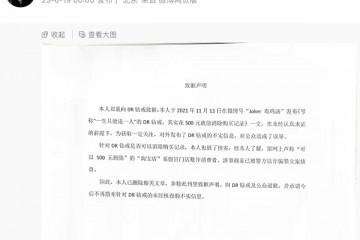 传谣者公开道歉,“DR购买记录可删”被证实是谣言
 全球电视行业,已经进入中国主导时代?
 沃莱科技联手华为智选,邀你相约南昌第81届中国教育装备展,共享教育科